Synopsis
- A Windows Server host has been provisioned with network connectivity to the Alletra controller “data” IP addresses
- HPE Storage Toolkit has been installed
- HPE Connection Manager indicates connectivity has been established from the Windows Server to the Alletra controller
- HPE Connection Manager does not show any available volumes
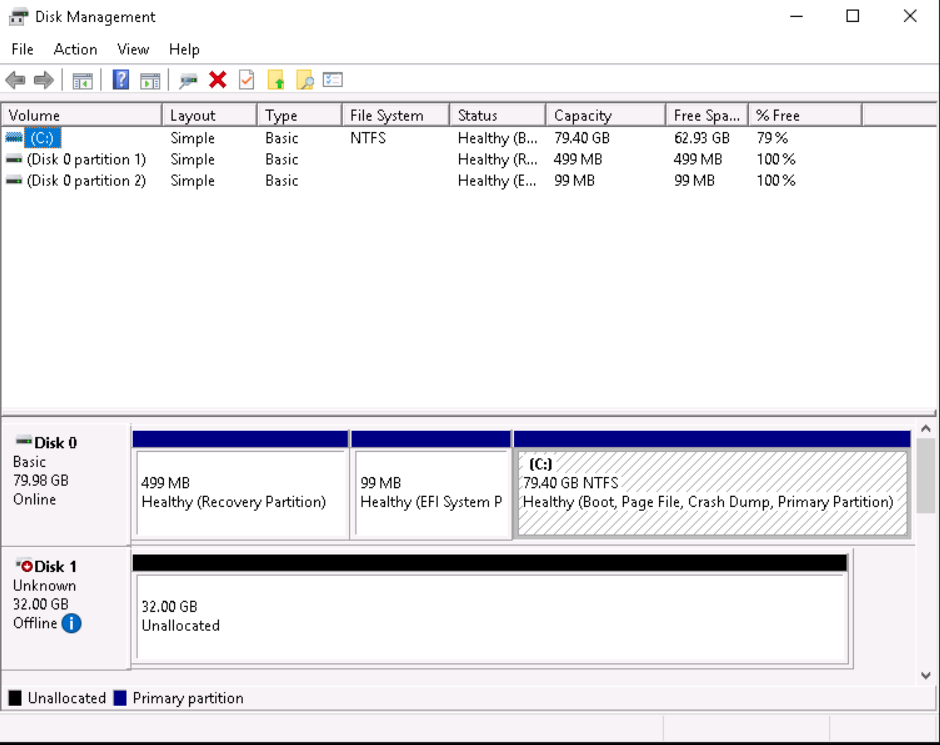
- Microsoft Disk Management console also does not show any volumes
Troubleshooting
Verify the IQN of the Windows Host using PowerShell:
get-initiatorgroup
Verify an initiator exists on the Alletra array with this IQN:
initiatorgrp --info Win-iSCSI-TE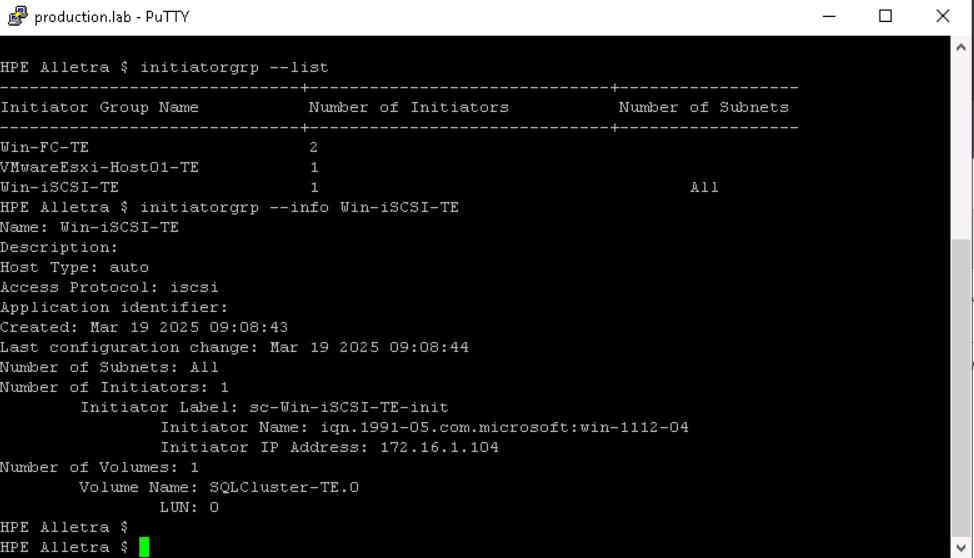
Verify the volume that is expected to be available for the Windows server to connect to has the iniator group configured:
vol --info SQLCluster-TE.0 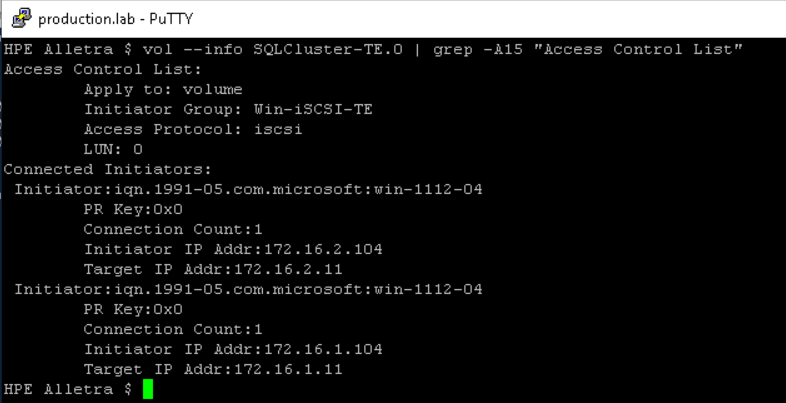
Check HPE Connection Manager for errors:

Resolution
As the “recent tasks” pane indicates, the NimbleDSM is not running. Reboot the server to load it.
Disk management now displays the LUN ready to consume: